FORScan Lite1.5.14
Publisher Description
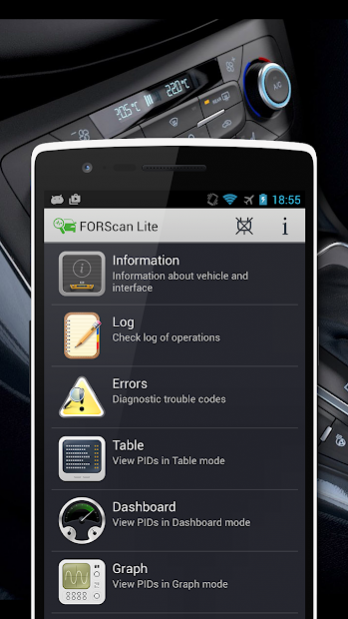
FORScan Lite application was developed specially for a computer diagnostic of Ford, Mazda, Lincoln and Mercury vehicles.
Requirements and limitations:
- ELM327 or compatible OBDII adapter with Bluetooth, WiFi or USB interface.
- Recommended adapters: OBDLink MX+, vLinker FD BT.
- Attention: vehicles other than Ford, Mazda, Lincoln and Mercury are not supported!
- Attention: application will not work with ELM327 clones of poor quality!
- Attention: application doesn't contain any configuration and programming functions!
Features:
- Analyzing an on-board network configuration of the connected vehicle.
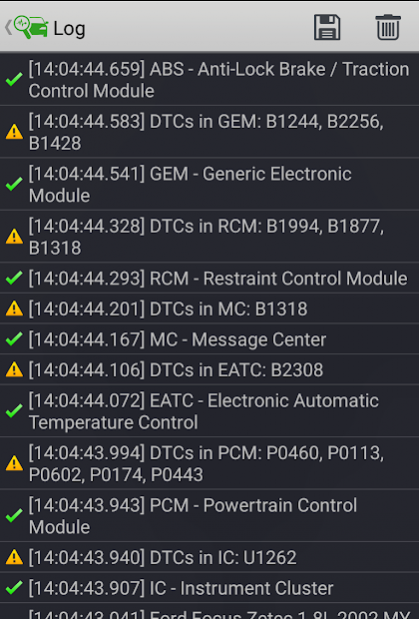
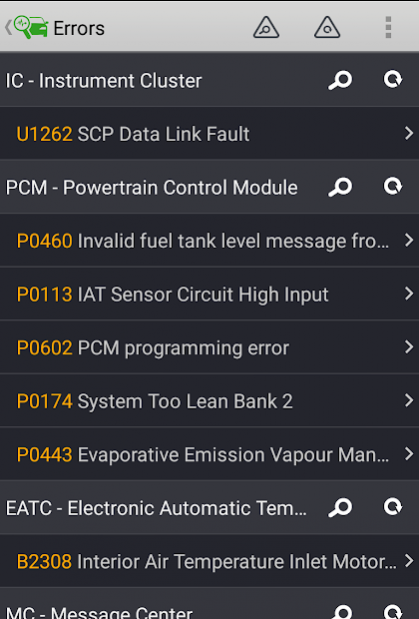
- Read and reset diagnostic trouble codes (DTC) for all modules.
- Read sensors and other data (PIDs) from all modules.
- Running manufacturer-specific functions, including tests and service functions.
About FORScan Lite
The company that develops FORScan Lite is Alex Savin. The latest version released by its developer is 1.5.14. This app was rated by 2 users of our site and has an average rating of 2.5.
To install FORScan Lite on your Android device, just click the green Continue To App button above to start the installation process. The app is listed on our website since 2022-02-15 and was downloaded 1,246 times. We have already checked if the download link is safe, however for your own protection we recommend that you scan the downloaded app with your antivirus. Your antivirus may detect the FORScan Lite as malware as malware if the download link to com.astech.forscanlite is broken.
How to install FORScan Lite on your Android device:
- Click on the Continue To App button on our website. This will redirect you to Google Play.
- Once the FORScan Lite is shown in the Google Play listing of your Android device, you can start its download and installation. Tap on the Install button located below the search bar and to the right of the app icon.
- A pop-up window with the permissions required by FORScan Lite will be shown. Click on Accept to continue the process.
- FORScan Lite will be downloaded onto your device, displaying a progress. Once the download completes, the installation will start and you'll get a notification after the installation is finished.
Program Details
System requirements
Download information
Pricing
Version History
version 1.5.14
posted on 2022-02-15
- Migration to core 2.3.46
- Fixed crash in the R-Mode rebalance service function
- The dialog that informs user about using not recommended adapter will be displayed only on the first run of the application
version 1.5.13
posted on 2022-01-20
- Vehicle database update
- Migration to core 2.3.45
- Fixed bug of missing freeze frame information in DTC description for last generation of ECU
- Small GUI fixes and improvements
version 1.5.12.1
posted on 2021-10-30
- Fixed crash bug on connection experienced by some users
- More correct processing in the case when vehicle session is lost by the moment the application comes to the foreground
version 1.5.12
posted on 2021-10-06
- Migration to core 2.3.43
- Fixed GUI problems in new service functions
- Added new USB connection type "USB CH34x"
version 1.5.11
posted on 2021-06-03
- Vehicle database update
- Migration to core 2.3.41
- Fixed problem accessing shared files, appeared in Android 11
version 1.5.10.1
posted on 2021-03-17
- Vehicle database update
- Migration to core 2.3.39
version 1.5.9
posted on 2020-10-20
- Vehicle database update
- Migration to core 2.3.36
version 1.5.8
posted on 2020-07-09
- Vehicle database update
- Migration to core 2.3.34
version 1.5.7
posted on 2020-05-08
- Vehicle database update
- Migration to core 2.3.33
version 1.5.6
posted on 2020-03-25
- Vehicle database update
- Migration to core 2.3.31
